Showing posts with label CTC Math. Show all posts

Wednesday, October 11, 2017

CTCMath Review


Every child needs to learn math in school--whether they want to or not, ha. I've talked about the math issue in our house before. When my kids understand the concepts they're working on, they like it; when they're confused and struggle, they claim that math is the worst thing ever. That may be an exaggeration, but only slightly. Math is used in our everyday lives though, whether its for your job, in your home, or at the store. That's why it's so important to have a good grasp of understanding. Since math builds on itself, I want to make sure that my kids have a solid foundation now, so that future learning of more difficult concepts is made easier. 

Currently, you can get 60% off + 6 bonus months to the program we've been using, CTCMath Family Membership.

CTCMath was founded by Pat Murray, homeschooling father of 10. Mr. Murray has been teaching math for over 30 years in Australia and used his love of the subject to create this comprehensive online math tutor for K5-12th grade. He believes that teaching should be concise to keep the students' attention, give him ample time for practice, and better help him recall the concepts later. His teachings have reached tens of thousands of people Australia, the United States, the UK, and other parts of the world.

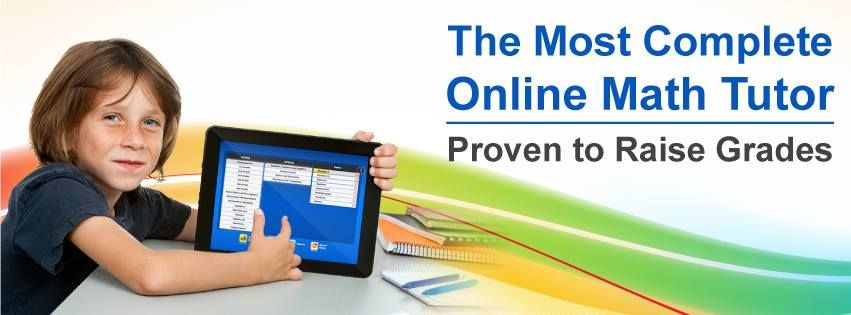
As a member of CTCMath, you have the option to use all the grades and lessons at any time. There are also standard and comprehensive placement tests for each topic for the elementary grades, so you can determine where is the best place or topic to start your child and can change courses at any time. There are over 1,400 tutorials that teach the math concepts step-by-step. Each video is only 4-9 minutes long and incorporated both audio and animation. The tutorials are done in such a way that makes the concepts easy-to-understand. They are colorful, but not flashy or distracting.

After the video tutorial are the interactive questions for the student to complete. The answer format varies from multiple choice, dragging the correct answer to its place, fill in the blank, etc.. Each lesson has about 10 questions for the student to answer, and the stats of those questions are shown at the top. There is a progress bar, grade, and number correct of the total answered. After the questions are completed, a results page comes up so the student can see the results all together. Little green check marks are by the ones that are correct, and red Xs are next to the incorrect ones. From there, the student can complete more questions or head back to the lessons. 


As a parent, I get weekly email reports about my kids' activity log. I can quickly see what each child did each day: the times they logged in and out, which lesson(s) they did, the grade(s) they earned, and any certificates they received. I also get certificates sent to my email that I can print and award to the appropriate student. On the parent dashboard on the site, I can assign tasks to each student, view individual profiles and detailed reports, review diagnostic tests and awards, and preform other various functions.  

Both the student and the parent have access to the grades for each lesson, so it's easy to see at a glance where exactly each student needs practice and where he is excelling. 


I have my 4th grader and 2nd grader using this for their main math curriculum. The can easily complete their lessons on their own and can navigate the site as needed. They are grasping the concepts and retaining the information. My kindergartner is using the program as more of a supplement. He needs help starting each lesson and working through the questions. Since he cannot read well, he takes advantage of the sound icon. He clicks on it to hear the question read aloud. He has a harder time consistently controlling the mouse well, so I often help him click or drag the answers he chooses. After that, the student has to click to submit the answer and then click again to move to the next question.

CTCMath is a wonderful program for my older kids, but not the best option for my little one. The videos do a good job teaching the concepts, even to the younger ones, but the format isn't quite as user friendly to those who are still learning to read and develop fine motor skills.   


Not sure how CTCMath would work in your home? You can take advantage of their Free Trial and get started today.

You can connect with CTCMath on the following social media sites:
  
You can read more reviews of CTCMath on the Homeschool Review Crew blog.


Crew Disclaimer
Pin It

Friday, April 25, 2014

CTC Math


Math is a subject that is used in everyday life, whether it's for your job, in your home, or at the store. That's why it's so important to have a good grasp of understanding. Since math builds on itself, I want to make sure that my kids have a solid foundation now, so that future learning of more difficult concepts is made easier. I was thrilled we were given the privilege to review a 12 month family plan subscription from CTC Math.

CTC Math is a comprehensive online math tutor. What I really appreciate about this program is that the lessons begin with video tutorials. The videos are recorded by Pat Murray, father of 10,  from Australia (where the program was created.) My kids loved his accent and often answered the questions in the same way, and many times kept up the ruse for a bit afterward, too. More than just being a fun tool to practice another accent, the videos are truly helpful in learning math concepts. With 1,367 animated and narrated lessons starting with kindergarten and going all the way through high school (algebra, calculus, geometry, trigonometry), there's something for each student. The tutorials for the younger grades are 3-5 minutes and easily kept the attention of my little ones, while the older grades' videos are a few minutes longer. Don't let the brief lessons fool you. The tutorials are done in such a way that makes the concepts easy-to-understand. They are colorful, but not flashy or distracting. And while my kids enjoy the programs with the create-your-own-avatar, I appreciate that this one does not. Too often I'd find them wanting to change their characters and, in turn, not focusing on the lesson. Here, there's nothing to draw their attention elsewhere.

After watching the video portion of the lesson, the student answers about 10 questions to see what he's learned. My little pupils had fun with the ones that required dragging the answer to the appropriate place, because we recently got a touch-screen computer. (Hey, whatever it takes to get them excited!) It does work just as well using the mouse and even on some mobile devices. After the questions are completed, a results page comes up so the student can immediately see how he did. Little green check marks are by the ones that are correct, and red Xs are next to the incorrect ones. From there, the student can complete more questions or head back to the lessons.

All of the lessons can be accesses at any time. So, while I started Alyssa (6) in kindergarten and Jake (8) in third grade, they were each able to choose other levels to learn. Jake, especially, was pleased with this aspect. He rarely likes to work where he's "supposed to", but instead wants to find a section that is more difficult and challenging.


The only problem I found as we've been using this program is seen in the picture above. Alyssa was working on the shapes lesson. She's know her shapes for many year, so I knew this would be an easy lesson for her. I was standing nearby and heard her frustration in getting an answer wrong. As I looked at the screen to see what the problem was, she clicked the button to move to the next page. I did get a glimpse of the screen though and was intrigue. It had looked like she had answered them correctly. I watched her finish the review questions and had her complete them again. They have a bank of over 57,000 interactive questions, so I wasn't sure if she'd get the same question the next time. Thankfully, she did. I watched her put the triangles and rhombuses in the proper boxes. Then I watched the little red X pop up on the screen again. There must be a glitch in the program somewhere. I explained to her that she had been right, but that didn't change the results page with the 90%. All in all, it is not a big deal, but one that I believe should be noted. 

Speaking of the results page, the parent can log-in to the system and easily see what the child has accomplished. I can see exactly what my kids have been working on and how well they are comprehending the material. I also get emails with their progress. One thing that the kids like is that they earn printable certificates for completing the work. That piece of paper with a picture of a medal and their name makes them feel so proud of their hard work!


I am so glad we have a full 12 months with this program! I believe that CTC math is one of the best math resources we've used. The lessons are not too long, easy-to-understand, and interactive. My kids can work at their own paces and have their very own tutor anytime of the day. The best part though? They're truly understanding and learning the concepts. 

Currently, homeschoolers can purchase a 12-month subscription plan for the reduced rate of $118.80. CTC Math also offers other options for plans, like single students or family for monthly, 6 months, or 12 month rates. Check out the plans to see which one may work best for your family   


If you'd like to see how this program worked for other families, please click to read more reviews from the Schoolhouse Review Crew of this program.

Crew Disclaimer
Pin It