Wednesday, April 24, 2019

Ancient Egypt Online Unit Study


I am excited every time we get to review unit studies. I love fully immersing ourselves in a topic and applying its concepts in multiple subject areas. This comprehensive method helps you learn more, retain it longer, and have fun while doing it. 

I was recently introduced to Techie Homeschool Mom who offers many different unit studies. Beth Napoli, the creator of the site, has embraced this technology-prevalent world that we live in. Her enthusiasm for digital learning along with her researching skills inspired her to combine some of the fabulous resources she's found into digital unit studies. Originally, she created these studies as a way to educate her own five girls; now, she's sharing her work with the rest of the internet. She offers studies from artists to inventors to the solar system and more, but it was her Ancient Egypt Online Unit Study that grabbed my attention.

My kids are fascinated by Ancient Egypt--mummies, pyramids, hieroglyphics, all of it. We've studied this time period before, but there's always more that we learn, especially since we've added little ones to our family since then.

This unit study couldn't be simpler to use. There are no additional books you need to collect or resources you need to find. Everything you need for this E-course is only a click away with the exception of hands-on materials for projects. The course list is to the left of the screen. As you finish a lesson, it is automatically checked as completed on the list and the next lesson appears. The phrase Beth uses is "just click," because that is all you do to find the materials for the study.


Here are the main modules of the course:

  • Egyptian Civilization
  • Hieroglyphics
  • Rosetta Stone
  • Egyptian Daily Life
  • Inventions and Technology of Ancient Egypt
  • Ancient Egyptian Clothing
  • Famous Egyptians
  • Pyramids
  • Mummies
  • Final Project

The means of learning varies around websites, articles, videos, and online quizzes and games. There are a few digital tools that you may need to create free accounts for, but everything else is straightforward. We have viewed the Nile River through satellite images, translated hieroglyphics (one of our favorites!), watched papyrus being made, learned dozens of facts about Egyptian life, and more. 


There is also a Book Club portion of the course. A few options are given, though you could choose any book that relates to the period. We decided on the audio of The Cat of Bubastes for our study. While we love family read alouds, listening to the book while driving for a recent vacation was the perfect way to pass time. Henty's writings are rich in vocabulary and filled with history. The story set the scene for deeper Egyptian learning.

As always, our favorite portions were the hands-on activities. There is a list of projects and needed supplies in the Before You Start section, making it easy to be prepared long before you need something. The kids made their own cartouches using foil and enjoyed seeing my cartouche necklace my parents brought back from Egypt years ago. We played Senet multiple times and liked it so much that we've added it to our collection. The best activity overall though has been making a variation of the oldest recorded recipe in the world. The treats are quite similar to homemade Larabars, which we make every so often. We made half of the recipe as directed and the other half without coating the balls in honey because I figured they'd been too sweet. We used the different versions as an experiment. As expected, everyone preferred the honey-less option. We then used the extra dates that we had purchased to make a chocolate and peanut butter variation and rolled them in cocoa powder. So good. Those poor Ancient Egyptians didn't know what they were missing out on by not having chocolate! 


The Ancient Egypt Online Unit Study is geared toward mid-elementary to middle school age to use on their own, but will also appeal to both those younger and older. We chose to use the course as a family study. I read aloud the articles and such and the kids and I watch the videos together. This format encourages deeper learning, too, as conversations always lead to further study. Each module takes approximately 2-3 hours to complete, depending on your style and pace of learning. We work through it usually twice a week. Naturally, some sections take us longer than others, because we find them fascinating. 

We are nearly at the halfway point now with still so much to learn. I've already peeked ahead and saw directions for a Venn Diagram comparing clothing, a slideshow about ancient jewelry, articles about famous people, a video explaining how the pyramids were built, and information explaining amulets. I know the kids are going to be thrilled when we get to the lesson when we mummify a doll. Today though, we're learning about inventions that the ancient people created. The course is completely self-paced with unlimited access forever, so we can take as long as we like soaking up the information. I'm even thinking we will revisit this study again in a few years when the little ones are older. 


Because this is a techie study, online and social sharing is encouraged. Suggestions include creating a Pinterest board for the study projects, answering comments in the Book Club section by posting comments online, and following Techie Homeschool Mom on various sites. We chose not to participate in the social aspect, but discussed the topics and projects among ourselves instead.

We are greatly enjoying learning all about life long ago in the Ancient Egypt Online Unit Study. The course is easy-to-use, filled with fascinating resources and information, and includes varying projects and materials. I'm already trying to decide which study should be next--Famous Artists for my crafty girl or Famous Inventors for my science-minded boys or even the 4th of July for some fun historical summer learning. Techie Homeschool Mom has made fuss-free studies that are perfect for the digital age. 


You can connect with Techie Homeschool Mom on the following social media sites:


Many other families used some of the additional studies found on Techie Homeschool Mom. You can read those reviews on the Homeschool Review Crew blog.


Crew Disclaimer
Pin It

Friday, April 19, 2019

Things That Make Me Smile 10/19/18

*This post may contain affiliate links.


Jake (12 1/2), Alyssa (10 1/2), Zac (8 1/2), Tyler (6 1/2), Nicholas (3 1/2)


This week, we went to a bonfire with friends, performed many science experiments, and had fun game schooling.


1. Leighton and I always wonder why the kids walk passed him to look for me around the house. Now we know.
Me: "You guys, Dad is right here. Why didn't you just ask him?"
Jake: "Because if we ask Dad, there's a 75% chance of 'no.'"

2. Nicholas, watching Double Dare: "Why do they always do Physical Challenge? That gets boring."

3. Jake, after Nicholas mispronounced a word: "Aw, he still has that little boy accent."

4. Nicholas, because he wanted hairspray: "I want my hair crunchy."

5. Me: "But, honey, this is a big kid game."
Nicholas: "I am a big kid."
Me: "You are?"
Nicholas: "Yes. And you are not a big kid."
Me: "I'm not? Well then, what am I?"
Nicholas: "You are a big mama."

6.

7. Commercial: "Every season starts with Dicks."
Jake: "No, it doesn't. It starts with a temperature change."

8. Nicholas, because he took off his pants: "I didn't stay my pants on."

9. Nicholas: "Is Gramma coming tonight?"
Me: "No, not tonight."
Nicholas: "Aww, I wanted to spend the night again!"

10. Nicholas, telling me his recipe: "Put sugar in it first. Then this. Shake it up. Then you hot it. Then you eat it!"

11. Nicholas, about music in the van: "Mama, can you turn it down so I can hear it louder?"

12. Tyler, talking about his favorite season: "Summer is my friend! Winter is my other friend . . . Spring and fall are my friends, too."

13. Alyssa: "I have a winter coat that has a hood that goes on an off."
Nicholas, concerned: "Aww, we can tape it."


What made you Smile this week?


*Some of the links in the content above are affiliate links. If you click on a link and purchase an item, I may receive an affiliate commission. Regardless, I recommend products or services that I have used personally and all the text and opinions are my own. I am disclosing this in accordance with the Federal Trade Commission's 16 CFR, Part 225.
Pin It

Thursday, April 18, 2019

CrossWired Science


My kids love science and learning about the world around them. They are always pleased when we receive science products to review, like this brand new website called CrossWired Science. We've been learning all about Sound, and Fluid Dynamics.

The goal of Crosswired Science is to help people "see the glory of the Lord . . . and to reach those who do not yet know Him." By combining Scripture with many different resources, reading materials, and experiences, they strive to help families learn together about God's power and intelligence in His creation and to grow in that knowledge. They are not just studying science, but true Science, "the very carefully thought-out handiwork of the Almighty God." You can read about their 17 educational goals in depth on their site. They may have recently launched this new site, but they have big plans for it.


Each course is based around a "global topic." Both Sound and Fluid Dynamics have 29 lessons that cover a month or so of science. Within each topic are many different learning options, making the material "crosswired" through many subject areas. Think of it like a unit study about various science themes. The idea is to integrate the sciences--Life, Earth, Physical--to teach a "deep science" for a strong knowledge base. 

The student first chooses either the First Timers or Second Timers option, meaning a younger student who is new to the material is going to be learning it for the first time, whereas an older student or graduate would probably benefit from the second option. The videos are the same for both, but the questions vary in difficulty. After that, the student can pick a global topic course and find the lesson page.

There are 8 core videos for each global topic which act as the main teaching materials. Mixed within those are blocks of additional activities including experiments, research topics, general links with more videos, field trip suggestions, book lists, and devotionals. There is also a section called U-Choose that offers ideas for any style of learning as a "science free-for-all." Things like coloring pages, games, projects, cooking, notebooking, speeches, webinars, and more. There are also Digging Deeper and Gold Dig sections. These portions are extensive written materials about various topics within the main course. Each link is filled with snippets of information and eye-catching pictures. In fact, there is one Digging Deeper segment about bats which includes photographs that are both fascinating and disturbing at the same time. God's creation is amazing! If a student doesn't finish the material in one sitting, he can click on a letter link and be take directly to where he left off instead of scrolling through all the material.


Fluid Dynamics covers the flow of something or "fluids in motion (aerodynamics, hydrodynamics etc). For example, how the dorsal fin helps a shark to swim, how a bird's alula feathers help it fly and land, why dogs make such a mess when they drink water, and more. Students will learn about Bernouli's Law, how carburetors work, how there are more aerodynamics in the human nose than there are in a fighter jet, and other interesting facts. There are sections on astronauts, giant slugs, how lungs work, the cause of thunder and lightning, composting, and more. There are dozens of experiments including making a multistage rocket, dissecting a fish, rubber band plans, and toilet paper blowers.

The Sound course is all about vibrations and how they move through liquids solids, and gases. Some of the things students will learn are how Leonardo da Vinci practiced sonar, how infrasound was used in WWII, how the syrinx is used in bird calls, and all about the inner workings of the ear. There is more information about how sound is created and used in people, animals, machines, and the world around us. The devotionals show what you can learn from the Bible through croaking frogs and a whale and a worm. 


The CrossWired Science curriculum is very eclectic. It uses many excellent resources that have been produced by others that can be found on the internet, printed in books, or ideas for home. It is applicable for any student K-12th grade and can be as as both a full curriculum or as a supplement (it currently contains 3 months of material, but will eventually offer 6 full years of science courses).

The videos can be from 2 minutes to 28 minutes in length and everything in between (though it does seem as though most are less than 10), so it's feasible to fit one into any schedule. There are also quizzes and worksheets for review, a place to take notes, and sections to record summaries and whatnot. The site keeps track of the progress through the course. While the videos build off of each other, the other materials could be completed in any order. The parent account has access to answer keys, grades, and the calendar with a suggested schedule.


We've taken a gentle approach with CrossWired Science. I have three kids (ages 13, 11, 9) working through the curriculum. One chose to work through Sound, one chose to learn about Fluid Dynamics, and the third has been using both courses. They use the program a few times a week and pick and choose their activities. They all enjoy the learning videos which are a combination of people teaching the material, photos, and graphics. They are whimsical and packed with information. 

The kids have completed worksheets and quizzes on the computer, colored pictures, made musical instruments, and read and watched many interesting things. The boys have plans to build  a working helicopter this weekend with their dad. 


Here's what my kids had to say about CrossWired Science:

"I like learning about Fluid Dynamics. I think it's really cool when air goes into your nose 
that it goes into three place. It's amazing. Oh, and it's so cool that the alula feathers act the second they're needed for a bird to land perfectly. The exact second! God is amazing!" 

"I like watching all the videos."

"There's not a lot of review in the lessons, so it's easy to forget things."


It's important to remember that CrossWired Science is a very new website. Things are still being tweaked and there are plans to add much more to the site. Just in the past few weeks that we have been using it, aspects have been improved, features have been added, and content has increased. It's a great site for families who appreciate the freedom to adapt their learning to their interests and needs. Many of the suggestions are vague and do not give much direction. For instance, for games in the U-Choose section, it lists purchase a game, make up your own game, see "Game Design" under Research and Review. If you're looking for a curriculum that spells out exactly what you need, this might not be the best option for you.

However, if you love flexibility in your education, CrossWired Science offers many possibilities. You can try a sample unit to get a feel for the program and even save $5 off of a subscription with code 5offCWS. I'm excited to see what they'll offer in the future.


You can read more reviews of this science program on the Homeschool Review Crew blog.

Crew Disclaimer
Pin It

Wednesday, April 17, 2019

Stopmotion Explosion


When people think of our family, they often think LEGO. So naturally, when we had the opportunity to review a Stop Motion Animation Kit, the kids couldn't wait to start creating video masterpieces with the one hundred thousand tiny bricks that we own. (Nope, that's not an exaggeration.) Of course, you can create a stop motion clip with absolutely anything you can think of, but since we joke that our kids bleed LEGO, it's no surprise that every video is based around those colorful bricks.

Our family was first introduced to Stopmotion Explosion a few years ago. My kids knew a little about how stop motion worked because their dad had dabbled in it a little, but they had never tried it themselves. All it took was receiving one of the animation kits for my kids to fall in love with the art of stop motion. 


Over time, their videos became few and far between until they stopped creating them all together. I heard excuses that they didn't have the proper location to film or that the camera was difficult to use. Somehow, they lost that enthrallment with the process. That is until I informed them that we might get the new animation kit. You see, my oldest son had already been eyeing the new kit with the upgraded camera and insisted that he wanted to get back to stop motion, especially since his dad had made a fancy table for a LEGO city last year that would be perfect to use. 

Here is everything you can find in the animation kit:

  • Camera -- 1080p HD; Windows and OS X compatible; manual focus down to 3cm; internal microphone; full control of exposure, color, and white balance; fully-rotating head; multifunctional clip
  • StopMotion Explosion Animate Anything and Make Movies book -- This 290+ page book contains everything you need to know to make stop motion films. It gives detailed step-by-step directions for screen writing, video editing, and audio recording. It includes tips on lighting, set design, composition, animation, securing objects, special effects, and more. 
  • StopMotion Explosion software disc -- The disc contains necessary files for making a stop motion film. The SME (Stopmotion Explosion) software is used for capturing the images. Audacity is used for completing audio editing. There are also sound effects, clips, and extras included.
  • Quick Start Guide -- This small booklet explains stop motion in simple steps to help you get started creating. It also contains answers to common questions and links to additional materials. 


Like I mentioned, this kit has been altered from the one we received three years ago. (You can read that review here.) I personally don't remember a Quick Start Guide, but my family does. Unfortunately, I do not know where our original copy of the guide is, so I cannot use it as a comparison reference. This colorful guide though is perfect for a brief overview that highlights the main points you need to know. There are also instructions for accessing the contents of the software disc, if you do not have a CD-ROM drive.

This Stopmotion Explosion, by Nate Eckerson, is the fifth edition of the book. It is nearly identical to the third edition from our other kit with a few small changes. The digital camcorder section has been replaced by information on mobile device options, the explanation for FrameByFrame software has been replaced with SME Animator software, the black-and-white pictures are a little brighter and easier to see, the format changes on a few of the pages, and other small difference can be found.


The camera is the biggest and best improvement in this kit. Many of the issues we had with the first camera are nonexistent with this one. The clip is easier to attach to objects to hold the camera. The previous dial was very difficult to turn and would shift  the camera in the process, whereas this one is much easier to focus while keeping the camera steady.

The quality of the new camera is definitely better now, too. This one has 1080p capabilities while its predecessor maxed out at 720p. The new one has a wider angle and adjusts to light better. In fact, you can observe some of those differences in the GIF below. The old camera is on the left; the new is on the right. Notice how the old camera doesn't show a picture on the screen without an extra light source, whereas the new one adjusts to either lighting option.


Here is another comparison of the two cameras. The top left shows the old camera without the light; the top right shows it with the light. The bottom left shows the new camera without the light; the bottom left shows it with the light. The pictures are straight out of the camera, completely unedited except to create the collage.


Making a stop motion film is a lot of fun, but it is work, too. Not only do you have to take multiple pictures of characters or objects in different positions, you have to make very small movements with them. Place your object (in our case, a minifigure), take a picture, move it slightly, take a picture, move it a little, take a picture . . . It can almost seem tedious, but those minuscule movements help the video flow at a normal pace without being choppy and confusing.

The video below was created by my 11-year-old. While the ending has a bit of that choppiness I referenced, it's not because of her movements, but more so because she chose a minifig with little legs which are stationary compared to the regular legs which move independently. Also, I love the faces she chose. Her character experiences happiness, surprise, and anger.


At that point, you can export the pictures into a video and leave it like that. Most of my kids are happy with this silent films, but my oldest likes to create complete projects. He follows these steps:
  1. Take pictures.
  2. Export the pictures as a video file. 
  3. Open the video in Windows Movie Maker (or another video editing program).
  4. Record audio and add effects (credits, fade in and out, text, color balance, etc).  
  5. Process the file to save as a video.
There are many tutorials both in the book and on the Content Hub on the Stopmotion Explosion site. For instance, my 13-year-old son followed the directions in chapter 10 The Art of War to make his lightsabers glow. He remembered other tips from last time, like how to make a smoke cloud and how to add a combination of sound effects from the software disc and recorded by himself.


The company recently released their own iOS app called Stopmotion Explosion Animator. You can quickly create videos with a phone anywhere you are. My husband downloaded the app and was immediately taking pictures. He said that it is straightforward and easy to use. While the app itself is free, there is a charge to unlock the exporting of the videos. Without that option, you can view your videos only within the app.

Speaking of my husband, when the kids were brainstorming ideas for their films, he told them that they didn't always have to make long videos, but could create short clips also. He made this water drop as an example. He held up two blue studs under a tower of other colors. He would take a picture after removing each stud. Then he edited out the colored ones. All that remains are the blue studs falling and splashing into droplets.  I find it a bit mesmerizing.


One thing that I love about stop motion is the creativity involved. It's fun to see the different things my kids (and husband!) create. My 9-year-old has many Creator 3-in-1 LEGO sets that he builds and rebuilds. He used the Tropical Island for his video.

You can change the frames-per-second to slow down or speed up the video. We talked about how quickly it's built and camera placement. I love little details like the man waving and parrot moving.


Here is another one from my 7-year-old this time. My favorite parts are all the people running away and the house getting knocked down.


Since I did not make any videos myself (no fun, right?),  I asked my husband for some feedback on the kit. Here are some issues he mentioned:

"If you decide to delete a frame while taking shots, it does not delete it from the folder. 
This is affected when the program crashes and you have to import frames and select all. 
You then import all the frames you don't want back into the movie. At this point, you have 
to go back, find them, and delete them again. Also, I found that if I tried to resize the 
view window for the software, oftentimes, it would 'zoom' the camera and show only a 
part of the image on the screen. The only way to fix it is to close the program and restart."

One more thing to note is that this camera, like the other one, defaults to 480p, even thought it claims to default to the camera's highest setting. The kids have taken many pictures in poor quality because they assumed everything was set up correctly. You can see that in some of the films. Another thing they're working to remember is to focus the camera on the most important object and remember to change the focus as the object moves. We have some fuzzy pictures and others with the focus on a random part of the frame. There are a lot of things to remember for stop motion! Mostly though, my kids aren't too concerned with making a "perfect" video. They just know they're having fun and that's what's important.


I am so glad that my family has starting doing stop motion again! I love see their creativity and personalities shine through in their films. They come up with such fun ideas. Sometimes they follow through the entire process, but most times they take dozens of pictures and leave it like that. We bought them a green screen because they want to change out backgrounds, so I'm excited to see what they'll create with that.

The Stop Motion Animation Kit is a great resource for stop motion films. The book is a wealth of information for each step and the camera changes are a huge improvement. I know that Stopmotion Explosion will be a part of our lives for a very long time.


You can connect with Stopmotion Explosion on the following social media sites:


You can watch more exciting stop motion videos by reading the reviews on the Homeschool Review Crew blog.


Crew Disclaimer
Pin It

Friday, April 12, 2019

Transcripts Made Easy


Somebody, slow down time! I have received my very first high school review. I am not sure how we got to this point already. After all, this child was born just last week and started homeschooling yesterday, right? Right?? Alas, our firstborn starts high school in a few months. High school. It's exciting, intimidating, and shocking all at the same time.

Janice Campbell from Everyday Education offers resources that help take away some of that daunting feeling that comes from home educating a high school student. She's an expert on the subject, too, as she homeschooled her four boys all the way through graduation. Her book Transcripts Made Easy: The Homeschooler's Guide to High-School Paperwork helps make planning, record-keeping, and transcript-making easy. 


Janice believes in a purpose-filled life, so she helps streamline the process of keeping records to give you more time for relationships and things that are important. Her methods have been proven beneficial. Since 2001, Transcripts Made Easy has sold thousands of copies all around the world. The book is currently in its fourth edition. As the admission process changes and colleges look for different criteria, Janice updates and adds more information from both her experiences and experts in the field.

The book is written so that the reader can start at any point and use just the sections he needs. It is divided into six parts, each with many sub points:

  • Meet the Transcript
  • Plan with the End in Mind
  • Keep Simple Records
  • Grades, Credit, and the GPA
  • Create the Transcript
  • References, Resources, and Reproducibles 

The beginning of the book explains all the ins and outs of a transcript: what it is, why you need it, and what information is included. It is helpful information to understand the purpose of a transcript and why every student should have one, whether or not he plans to further his education through college courses. During my years teaching in the christian school before our homeschooling days, I spent time working in the secretarial office. I was responsible for inputting grades and other information and printing report cards. I didn't handle the actual finalization of the transcripts, but I was familiar with the process. Therefore, I didn't focus on this section, but moved on to areas that were beneficial for me personally.

The first section I was drawn to was the Sample Four-Year Schedule for College-Bound Students. Homeschool requirements in the state of Michigan are fairly lax and vague. While that can be a freeing feeling for the homeschool parent, it can also be distressing wondering if you're doing everything right. I appreciate having this list that covers the courses, tests, applications, skills, and other suggestions for the next four years. This will help us plan our son's education now, while making sure he is ready for college. He's not settled yet what he wants to do for the rest of his life, but we want him to be prepared for whatever path God leads him. 

Another part of the book that was especially interesting was Six Things Your Teen Can Do While Homeschooling High School. Our education philosophy leans heavily toward life schooling (with an emphasis on literature and hands-on learning). It is our desire to give our kids many opportunities for learning, not just book work but experiences that will help them through life itself. Suggestions to start a microbusiness and develop special talents are included, but the section titled Serve Others Through Volunteering spoke to me the most.

"I have heard it said that teenagers are old enough to be useful, but young 
enough to be dangerous . . . Homeschool teens have the opportunity to learn 
while meeting real needs for real people."

My husband and I are very involved in ministry at the church and incorporate volunteering and helping people into our lives. We try to teach that concept to our kids and involve them. Reading that quote from the book encouraged me to make it a bigger priority. I've already been throwing ideas around on what my soon-to-be-high-schooler could do to cultivate a love for people.

This book has already been so helpful for me. I'm learning which work samples I should keep, how to name those tricky life-schooling classes for credit, how to give a grade to those same courses, and how to fill out the actual transcript. There are many examples along with reproducible forms and logs. It's easy to print out the pages and fill in your own information.

Transcripts Made Easy: The Homeschooler's Guide to High-School Paperwork is a must-have book for anyone educating a high school student at home. It is a valuable resource filled with practical information. Janice's easy-to-follow directions make this an enjoyable read. It feels as though you're sitting in a conference listening to her explain her methods. She's honest and truly wants to help the homeschooling family succeed.

The book is around 130 pages in length, and though I received the digital copy of it, it also is available as a printed book. Along with this book, Everyday Education offers many other materials to help both the parent and curriculum for the student, such as Perfect Reading, Beautiful Handwriting which I personally used a few years ago. Janice Campbell's materials are a joy to use. 

I know that Transcripts Made Easy: The Homeschooler's Guide to High-School Paperwork will be a resource that I reference time and time again as we continue on our homeschooling journey.


You can connect with Everyday Education on the following social media sites:


You can see how other homeschooling mom's used this book by reading the reviews on the Homeschool Review Crew blog.


Crew Disclaimer
Pin It

Wednesday, April 10, 2019

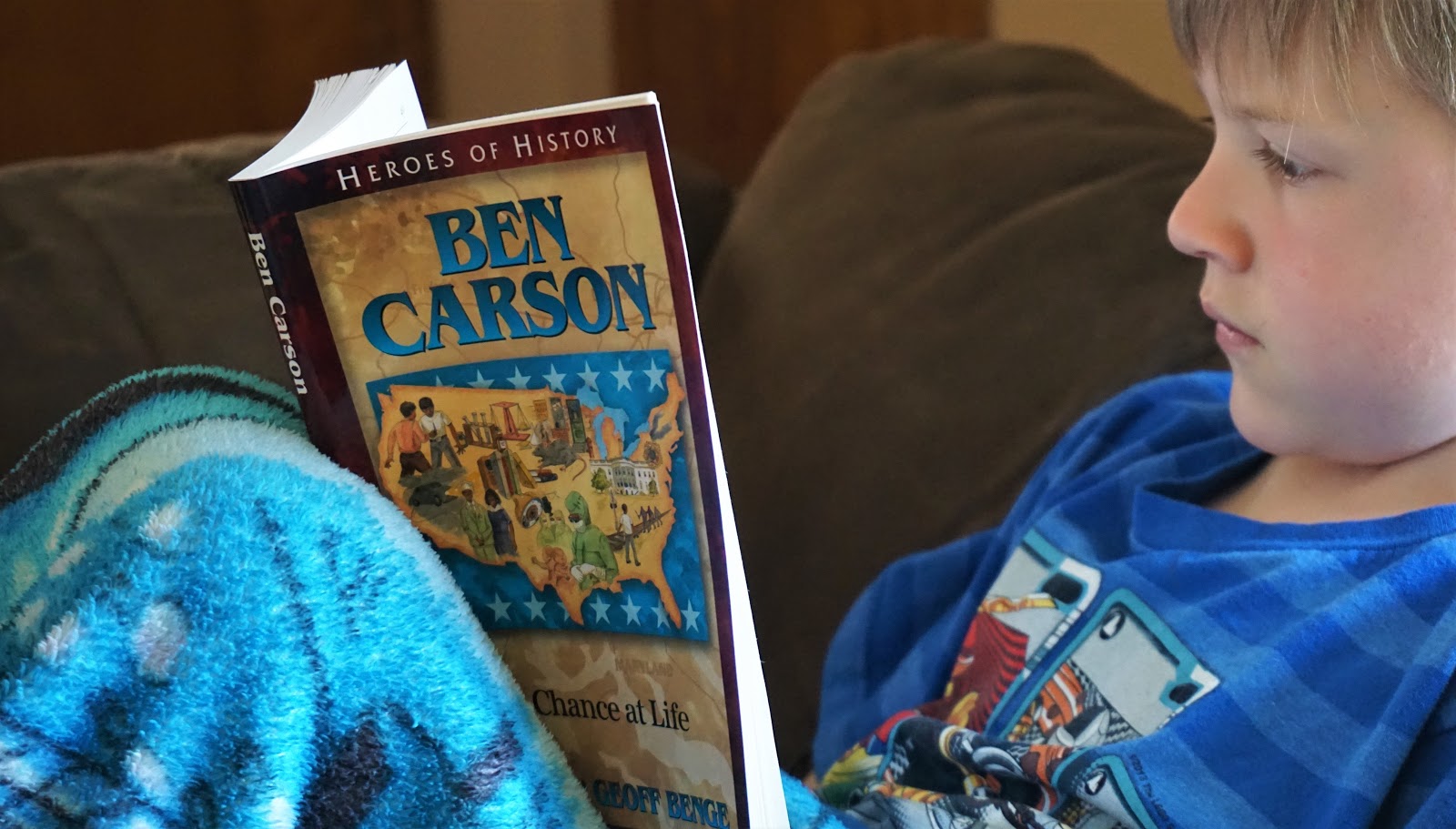
Ben Carson: A Chance at Life


If you know our family, you know that we love reading and that books are some of our favorite review items. My kids enjoy reading for a while each day on their own as the foundation of our education is literature, but they especially love when my husband or I read aloud to them. We read all sorts of books, but we've all grown to love biographies. We like reading about the lives of people, knowing that that events actually took place. The kids are fascinated to study the actions, vocabulary, foods, dress, and thinking of past periods and seeing they ways in which our lives differ.

The books from YWAM Publishing are our favorites for biographies, and I often recommend them to others. We like them so much, in fact, that we own over 30 of their books from various lines including the Heroes of History, the Christian Heroes: Then & Now, the Heroes for Young Readers, and even a couple of their audiobook biographies. One might think that we wouldn't be excited to receive another one of these books, but my kids were thrilled to choose another title. This time, our study of the past didn't take us back hundreds of years. Instead, we learned about an influential person still living in Heroes of History - Ben Carson: A Chance at Life by Janet and Geoff Benge.


 As I listed off names for the kids to choose, I came to Ben Carson. "Who's that?" they asked. I read aloud the description for the book on the website to whet their appetite. By the time I finished, all the kids decided they needed to know more. What made his story even more intriguing to them is the fact that Ben Carson grew up about 30 minutes away from where we live.

The book begins at a pivotal time in Ben Carson's life. His father had just left the family, leaving his mother to raise him and his brother alone. They lived in a poor section of Detroit, but his mother was determined to make a better life for the family. She worked three jobs, moved out of state with family for a time to save money, and was willing to work hard. She taught her boys a strong work ethic, too, and insisted that they turn off the television and spend their time reading instead of filling their days with mindless entertainment. Consistently reading two books a week and writing reports along with being fitted for glasses, made an improvement in Carson's education. His grades began to soar as he rose to the top of every class.

Carson continued to put his all into his studies as he worked through the JROTC (Junior Reserve Officers' Training Corps) program, attended Yale University, and excelled at his temporary summer jobs. He got married, finished med school, and started a family.


During his residency years, Carson became intrigued by brain surgery and was eager to simplify the process. Where others saw challenges, he saw opportunity. He used X-rays to quickly locate the foramen ovale, preformed a lobectomy to save a man's life, and studied brain tumors through New Zealand white rabbits and MRI machines.

Carson preformed many well-known surgeries including separating multiple conjoined twin sets and many brain hemispherectomies. He became greatly revered, not only in his specific medical field, but also for his advocacy of education. He traveled for both passions--to various countries to preform surgeries and all across the United States to speak at schools and rallies. He has influenced many and saved countless lives. His work ethic, dedication to education, and dependence on God has made him a role model for all.


Along with the book, we received the digital unit Study Guide. The guide helps to further your study including geography, social studies, and history, to name a few. It designed to benefit all learning styles, group and individual study, and a wide range of ages.

The guide includes the following:
  • Key Quotes - seven well-known quotes that can be used for memorization, understanding meaning, and displays
  • Display Corner - a list of objects, books, and photographs from Carson's life and places he lived that could be gathered and displayed to bring life to learning
  • Chapter Questions - six questions for each chapter: vocabulary, factual, comprehension, and open-ended interpretation (answers are at the end of the guide)
  • Student Explorations - essay writing, creative writing, hands-on projects, audio/visual projects, arts/crafts 
  • Community Links - meaningful field trips, guest speakers, service projects
  • Social Studies - reproducible maps, geography, terms/vocabulary, timeline, conceptual questions, 
  • Related Themes to Explore - history, science, literacy, music, military, popular culture
  • Culminating Event - project displays, cultural food, music, activities, oral presentations
  • Books and Resources - books, movies, documentaries, National Geographic articles, websites


The kids and I always enjoy the deeper study that comes from using the unit study guide. There are many different activities that reflect a wide range of learning styles, so there's something that appeals to everyone. Because there are so many options, it would be difficult to use the entire study. One thing that we always do with these studies is discuss the comprehension questions at the end of each chapter. It helps to review the story and understand it more fully. We especially enjoy the vocabulary review. Words like immaculately, quell, meticulously, abolished, and intractable are some of the words that are highlighted.
   
To further our study, we experimented with one of our chemistry sets, practiced suturing after a surgery by sewing felt, observed various objects through a microscope, filled in a map of Michigan, researched more about lobectomies and conjoined twins, and had many conversations on the importance of education. Some of the other activities we would like to incorporate include creating a model of the brain with clay, drawing a map of Australia or South Africa, write a Proverb in calligraphy, and read one of the books written by Carson himself. There are many other activities, projects, and ideas to supplement the learning.


To say that we enjoyed this book is an understatement! I have read many of these biographies from YWAM Publishing and this is easily my favorite one. There are many life lessons that are underlying themes throughout the entire book: don't judge a person by their looks, you can change your circumstances through hard work, reliance on God is crucial, reading and education are keys to a successful life, and more. My kids and I had many good conversations while reading this. I especially love how much attention was made to reading. Literature is a huge part of our education. It was encouraging to point out to my kids how important it is to someone as successful as Ben Carson, as well.

There are some intense sections of the book, such as step-by-step details of surgeries. My daughter left the room during one such description of a hemispherectomy as it spoke about drilling into the skull, cutting through skin and tissue, removing pieces of the brain, and dealing with extreme blood loss. The boys, however, were fascinated. In fact, one of them was so enthralled with the story that he asked to reread it himself as soon as I finished reading it to them. 


Heroes of History - Ben Carson: A Chance at Life has motivated us to learn more about the surgeon with "gifted hands." We are inspired to read one of his books to study deeper about his philosophies and put them into practice.

Until then, we'll remember the poem his mom quoted that shaped his life:

If things go bad for you
And make you a bit ashamed,
Often you will find out that
You have yourself to blame.
Swiftly we ran to mischief,
And then the bad luck came.
Why do we fault others?
We have ourselves to blame. 
You can connect with YWAM Publishing on the following social media sites:


You can read more reviews of more great books and study guides offered by YWAM Publishing on the Homeschool Review Crew blog.


Crew Disclaimer
Pin It

Friday, April 5, 2019

Fix It! Grammar


When my oldest child told me years ago that Fix It! Grammar was his favorite part of his school day, I knew I found a winning grammar curriculum. I was thrilled to have the opportunity to review it again with another child.

It might surprise people that we don't focus on a great deal on grammar curriculum. After all, I do have an English major, taught high school English classes before my homeschooling days, and truly love the language. However, my kids spend a large portion of their school day reading literature. Doing so, they naturally learn proper sentence structure, writing styles, and enriched language skills. I like to teach parts of speech in a fun, gentle way by incorporating games like Mad Libs into our days. Still, I do believe it is important to have some formal grammatical instruction to supplement their learning. I have tried a few different curricula, but none seem to fit my style of teaching like this Fix It! Grammar book from Institute for Excellence in Writing (IEW).    


IEW is known throughout the homeschooling community for their exceptional writing materials. Their mission is to equip parents with methods and materials to help their students become confident and competent communicators and thinkers. Their teaching style has been proven to be effective for all ages and levels of ability. 

What I personally love about the Fix It! Grammar curriculum is that it is not a traditional program. Instead of learning a rule and then practicing it in a bunch of random sentences, students work through a fairy tale bit by bit. This method of tackling real-life sentences with limited instruction, teaches students to think about their writing and apply the grammar rules to their own work. This method gives the student a better understanding of the material, helps him to retain the knowledge, and gives the assignments a sense of purpose.

Another aspect that makes this curriculum unique is that the student gets to be an editor. As he works through each lesson, he looks for the mistakes and corrects them, along with marking specific notations such as parts of speech, phrases, and clauses. As he progresses through the lessons and learns more grammar rules, the sentences contain more errors. By the end, he will also be able to mark the part of speech for nearly every word in the story.


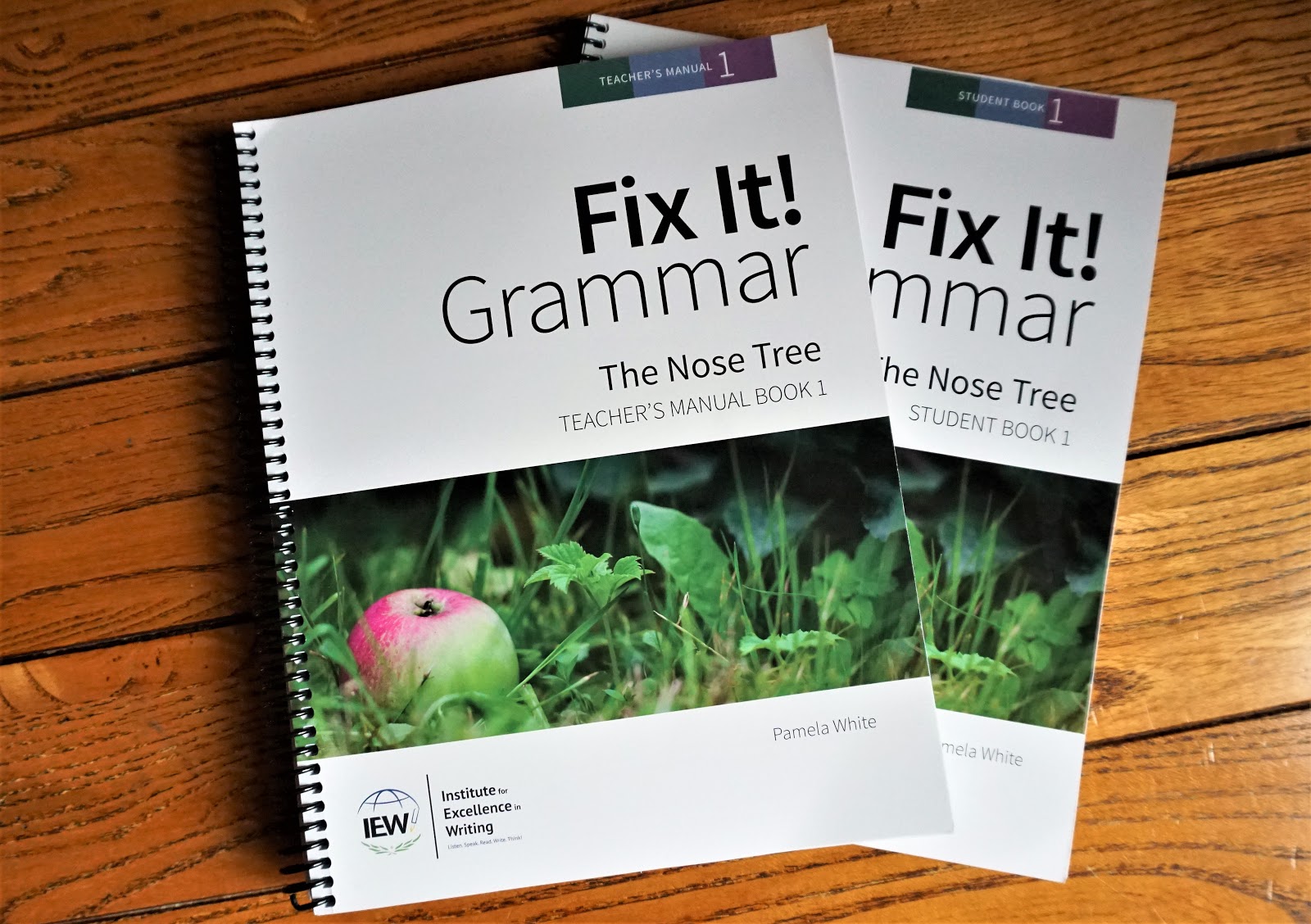
For the curriculum, you will need a copy of The Nose Tree Student Book, a spiral notebook, an envelope or the like to hold the review cards, and the Teacher's Manual. The purchase of the Teacher's Manual includes a downloadable Student Book, but there is also the option to purchase a printed, spiral-bound book, as well.

The set-up for the teacher is simple. Prepare the spiral notebook with the two sections (one in front for the rewrite of the story and one in back for the writing of vocabulary), cut out the appropriate review cards (in the back of the student book) for the week, and teach new concepts at the beginning of each week.

So, how does it work? The student is given one sentence of the story each day. There are multiple things that he does with that one sentence:

  • Look up the bold word in a dictionary and write in the vocabulary section of the notebook which definition best fits the story  
  • Mark and fix the sentence, using the review cards as reminders
  • Rewrite the sentence in the rewrite section of the notebook

New grammar cards are added each week. For instance, week 1 starts with the indent paragraph symbol (¶), nouns (n), homophones and end marks. Week 2 adds articles (ar), week 4 adds quotations, and so on. 

To put it in perspective, here is the sentence for day 1, week 1:

¶ Did you ever hear the story of the three poor soldiers

  1. The first thing the student does is look up the bold word and write it and the best definition in the vocabulary section of his notebook. My daughter wrote down poor: lacking sufficient money.
  2. The second thing is to mark the sentence, using the grammar review cards. She put an n (noun) above story and soldiers. She also put a question mark at the end of the sentence.
  3. The final thing is to rewrite the sentence in the rewrite section of the notebook, remembering to indent because of the paragraph symbol. 

As a comparison, here is a sentence from the final week of the book:

the doctor put on the cloak, wished the king and his court farewell, and was with his to/two/too companions directly 

Here, the student needs to start a new paragraph in the rewrite based on there being a new topic in the story instead of following the paragraph symbol, knows to capitalize the first word, can choose the correct homophone, will put an ending period, and should be able to mark the part of speech for every word.

The process should take about 15 minutes a day, 4 days a week for a total of 33 weeks. The course is intended to be a teaching tool, and not graded assignments as the parent should be modeling the editorial process and helping the student as needed.

We are currently halfway through week 5. Of course, the sentences have already gotten a little longer and more complex. Along with nouns, my daughter can also recognize articles, pronouns, and who-which clauses. She has also learned rules about quotation marks. 

The spiral-bound Teacher's Manual makes the material simple to teach even if you personally struggle with all the crazy, irregular rules of the English language. The format is easy-to-read, and the directions are clear. There are also many notes throughout the lessons that include teaching tips, advanced words that haven't been taught yet, and various other concepts. The back of the book contains a scope and sequence and a glossary which includes in-depth descriptions of parts of speech, sentences, clauses, phrases, punctuation. additional rules and concepts, and stylistic techniques. 


The Nose Tree is the first book in the Fix It! Grammar curriculum which is intended for 3rd-12th grades. Because the remaining 5 books in this set require this foundational book, it is reccomended that students start with The Nose Tree, though there is an optional placement test your student can take.

My daughter is in 5th grade. Since this is her first experience with Fix It! Grammar, I started her at the beginning. She find the lessons simple and could probably finish the entire book in a few weeks if I let her. She likes writing her own stories and is a voracious reader. Naturally, she is thoroughly enjoying working through this fairy tale and rewriting it. But her favorite part? The vocabulary. She gets excited every day when she sits with her giant dictionary and searches for her word. Queried, divulged, forlorn, pitiable, pilfered, laden, and stoutly are some of the rich vocabulary that is highlighted. I love hearing her incorporate these new words in her everyday speech. 


When I first told my girl that Fix It! Grammar was coming, she was somewhat disappointed, because she didn't want "extra" work. She was hooked from that very first lesson though. Just like her older brother, she says that the book is fun and is the first subject she completes each day. 

Here's what she told me about the curriculum:

"I like that it has a story that I work through instead of just random words. Oh, and I love the vocab!"


The Fix It! Grammar series from Institute for Excellence in Writing (IEW) is a fantastic grammar curriculum. I have used this first book with 2 of my children successfully and was reminded how much I am impressed with it. In fact, I am planning to continue through the series with my oldest kids and soon start my 9-year-old in The Nose Tree using the downloadable Student Book that came with my Teacher's Manual.   

If you're looking for a curriculum that truly works and is applicable to both grammar skills and writing skills, Fix It! Grammar is highly recommended. 


You can connect with IEW on the following social media sites:


Make sure to head to the Homeschool Review Crew blog to read more reviews of the different books in this curriculum. 


Crew Disclaimer
Pin It